Llama Lens
AI reading lenses for the web. Llama Lens scans readable page text, sends selected text to the AI provider you configure, and renders the result as clean accordions beside the original content.
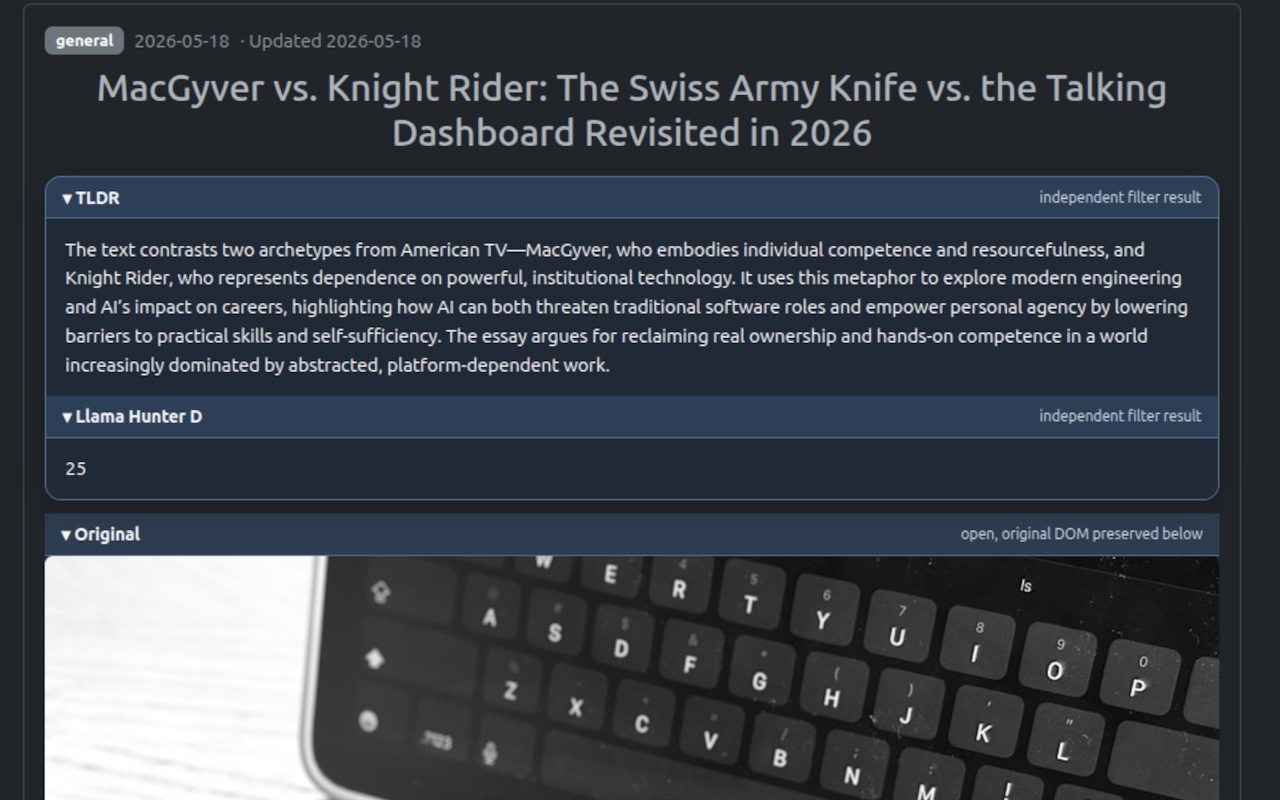
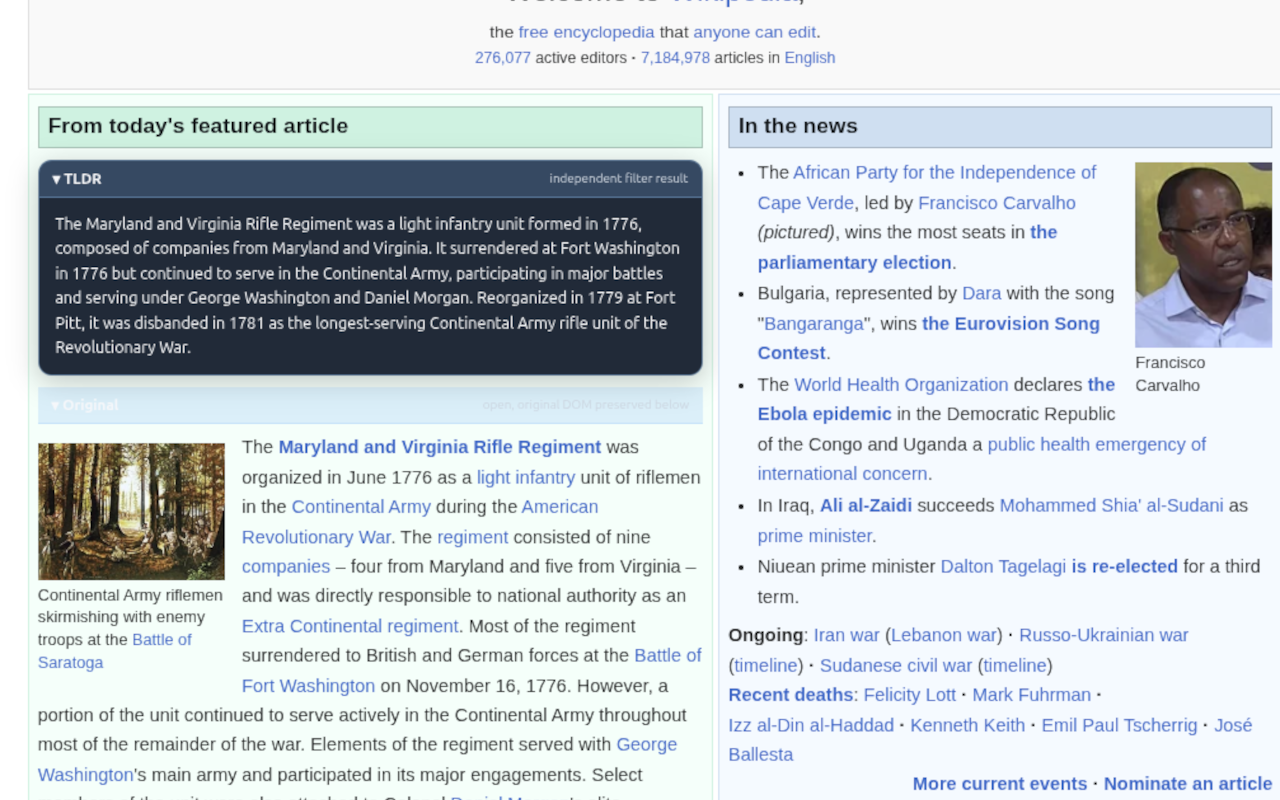
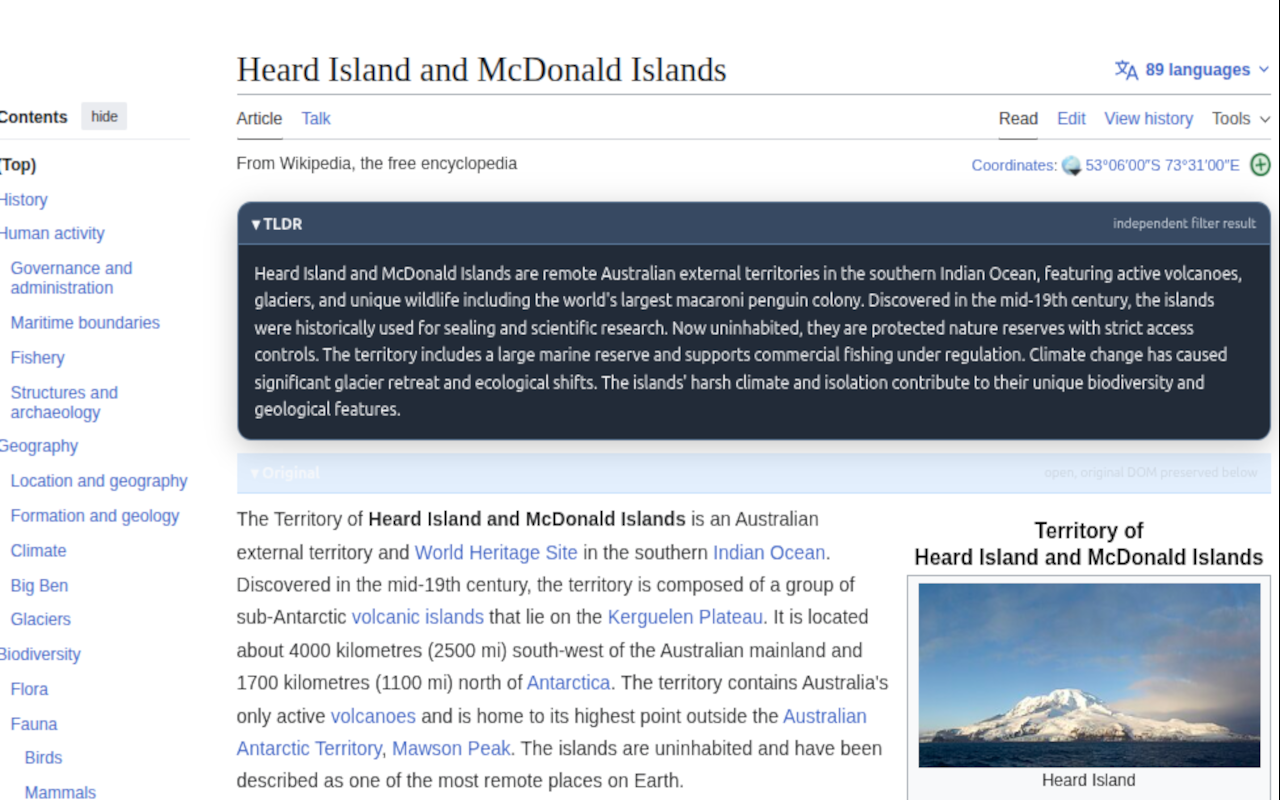
What it does
Llama Lens is a browser extension that adds AI-powered reading tools to normal web pages. It does not replace the page. It preserves the original text and adds generated lens output in separate expandable sections.
Read faster
Summarize, simplify, formalize, or reframe long text blocks without leaving the page.
Use your provider
Configure OpenAI or a local OpenAI-compatible endpoint. Your provider key stays local.
Build custom lenses
Add IF/THEN lenses that activate only when the source text matches your condition.
How it works
- The extension scans visible page text above your configured minimum text length.
- It skips the extension’s own UI, ignored domains, and unsafe input areas such as forms and editable fields.
- Enabled lenses are grouped into a provider request.
- The request is sent from the extension to your configured AI endpoint.
- Responses are rendered as independent accordion sections near the original content.
Client panel
The injected client panel is the browser-side control surface for provider status, local toggles, manual scanning, ignored domains, activity logs, and the bridge to Advanced Settings.
Local Settings
- Enabled: turns extension processing on or off.
- TLDR: toggles the lightweight summary lens.
- Scan Page: manually scans the current page.
- Advanced Settings: opens the Arpeggio configuration page.
LLM Settings
- Provider status: shows whether the extension has provider settings ready.
- Configure Provider / Edit: opens the Chrome extension options page.
- Options page: API key, model, endpoint, Remote Allowed, and Test Connection now live in Chrome extension options, not in the injected page panel.
The floating button
The floating llama button opens the client panel. The plug ticker can scroll beside it when enabled, giving users a lightweight reminder that the extension is active without turning the browser into Times Square. Society has suffered enough.
- Collapsed mode: keeps the extension available without covering the page.
- Expanded panel: exposes local controls, provider status, diagnostics, and ignored domains.
- Flash state: indicates a recent settings import from Arpeggio.
Advanced Settings
Advanced Settings live on Arpeggio and are imported into the extension as a non-secret settings snapshot. This keeps heavier configuration out of the browser panel while allowing the extension to run from cached settings afterward.
House lenses
House lenses are predefined lenses provided by Arpeggio. Enable the ones you want available in the extension, save settings, and let the extension import the updated snapshot.
- I’m 10: explains text in simpler language.
- Llama Hunter D: estimates AI-generated likelihood as a score.
- Historian: converts informal text into clearer formal English.
- Grammar Detox: fixes grammar and spelling while preserving meaning.
- PG: rewrites mature content for all-ages readability.
- Bipartisan: neutralizes framing and presents multiple perspectives.
- Dry: removes emotional or biased language.
- Flame Suit: smooths hostile insults into objective concerns.
- Clown: rewrites text in a playful absurd tone.
- King James: rewrites in an archaic biblical register.
- Eqmax: maximizes emotional intelligence and empathy.
- TLDR: available as a basic extension-side fallback.
Safety
Root safety adds a baseline safety instruction to provider prompts. It is a guardrail, not a replacement for provider policy, moderation, or judgment.
Defaults
Original open by default controls whether preserved source text starts expanded. Shade open by default controls whether generated lens outputs start expanded.
Thresholds
Minimum text length controls how large a readable block must be before Llama Lens considers scanning it. Higher values reduce noise and provider calls; lower values catch more content.
Custom IF/THEN lenses
Custom lenses let you create conditional transforms. The IF prompt decides whether the lens applies. The THEN prompt defines what to do when it applies.
- ID: stable identifier used by the extension.
- Label: human-readable name shown in the settings table.
- Enabled: controls whether the custom lens is active after import.
- IF condition prompt: tells the model when this lens should activate.
- THEN transform prompt: generates the visible lens output.
Plug ticker
The plug ticker is administrator-managed promotional text shown in the compact button or title area. Normal users can see it but cannot edit it. This prevents every browser panel from turning into a carnival flyer, which is an underrated mercy.
Saving and importing
Save Settings writes your non-secret configuration on Arpeggio. The extension imports that configuration as a snapshot. Local-only values such as provider API keys, ignored domains, activity logs, and provider endpoint secrets remain in the browser extension.
Provider setup
OpenAI: fastest setup
Use OpenAI when you want the quickest path. Create an API key, paste it into the extension, keep the default chat completions endpoint, and test the connection.
Get an OpenAI API key ↗Local AI: harder, but free forever
Run an OpenAI-compatible local endpoint if you want control and no per-request provider fees. Setup is more work, but once it runs, the browser extension can point at your own machine.
Read the local AI guide ↗Privacy model
Llama Lens separates server-side configuration from local browser secrets.
Stored on Arpeggio
- House lens enabled states
- Custom lens labels
- Custom IF prompts
- Custom THEN prompts
- UI defaults and thresholds
Stored locally
- Provider API key
- Provider endpoint and model
- Ignored domains
- Activity logs
- Cached imported settings
Sent to provider
- Selected page text
- Enabled lens prompts
- Provider request metadata needed by the API
In the current architecture, Arpeggio does not proxy Llama Lens AI requests. The extension sends selected page text directly to the provider you configure. If hosted or proxied AI is added later, the privacy policy should be updated before that behavior is presented as normal.
Get Llama Lens
Prefer the store install when available. These ZIP builds are for side-loading Llama Lens manually in Chrome-compatible browsers or Firefox.
Side-loaded builds are for manual installation and testing. Store installation is recommended when available.
- Loader Version
- 0.1.0
- Runtime Version
- 0.8.16
- Sync Base
- /api/llama-shades/settings
Support Llama Lens ↗